> ## Documentation Index
> Fetch the complete documentation index at: https://docs.aihairstyle.cn/llms.txt
> Use this file to discover all available pages before exploring further.

# 快速开始

> 快速了解如何使用 AI发型设计 API

# 快速开始

欢迎使用 AI发型设计 API！本指南将帮助您快速上手并开始使用我们的 AI 服务。

## 准备工作

### 1. 获取 API Key

首先，您需要获取一个 API Key：

1. 访问 [AI发型设计 开发者中心](https://www.aihairstyle.cn/developer-platform) 注册账号
2. 登录开发者平台
3. 创建应用并获取 API Key

<Warning>
  API密钥是访问所有API的凭证，请妥善保管，不要泄露给他人。
</Warning>

* **步骤1**: <a href="https://www.aihairstyle.cn?source=dev" target="_blank">注册账户</a>

  如果您已经有AI发型设计账户，可以直接进行下一步。

* **步骤2**: <a href="https://www.aiharistyle.cn/developer-platform" target="_blank">前往开发者中心</a>

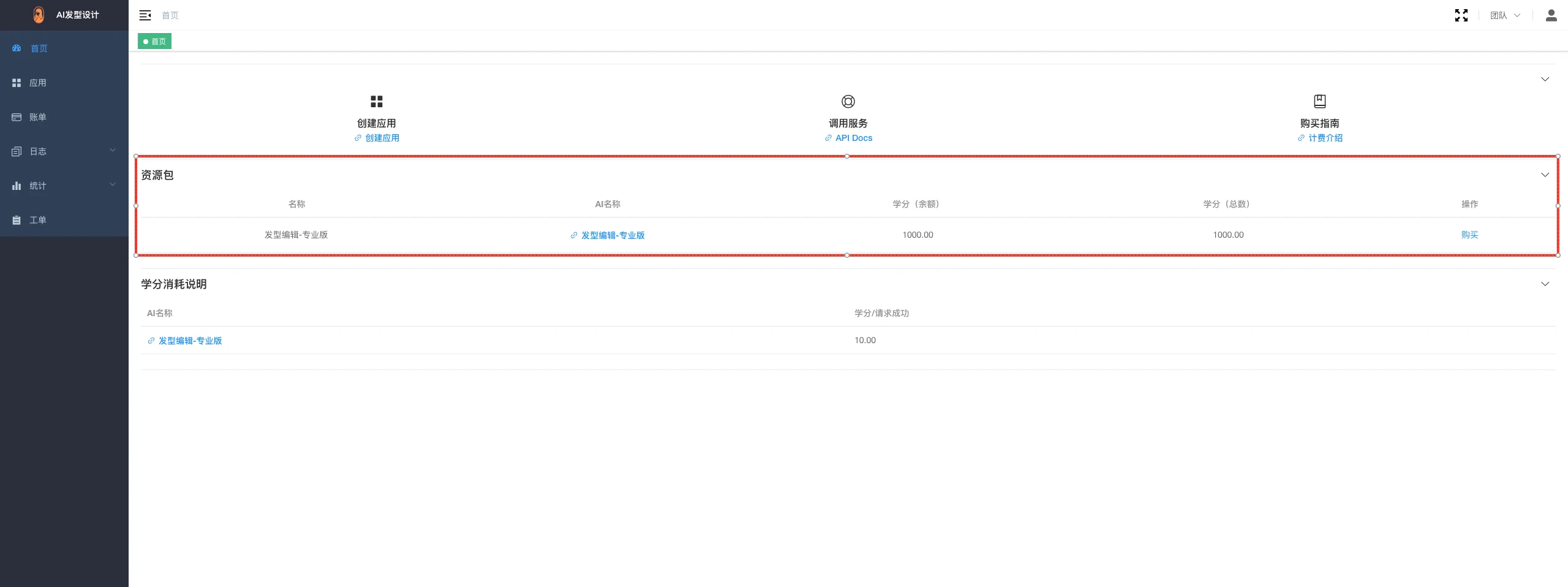
  成功登录后您将获得指定数量的积分（仅支持用于API调用）。

  <img src="https://mintcdn.com/tincent/82-m-cRsmYFKyYXH/images/dev/1.webp?fit=max&auto=format&n=82-m-cRsmYFKyYXH&q=85&s=9bea3c08bec7bce8b413e0f343fb5dfd" alt="注册即送" width="2560" height="958" data-path="images/dev/1.webp" />

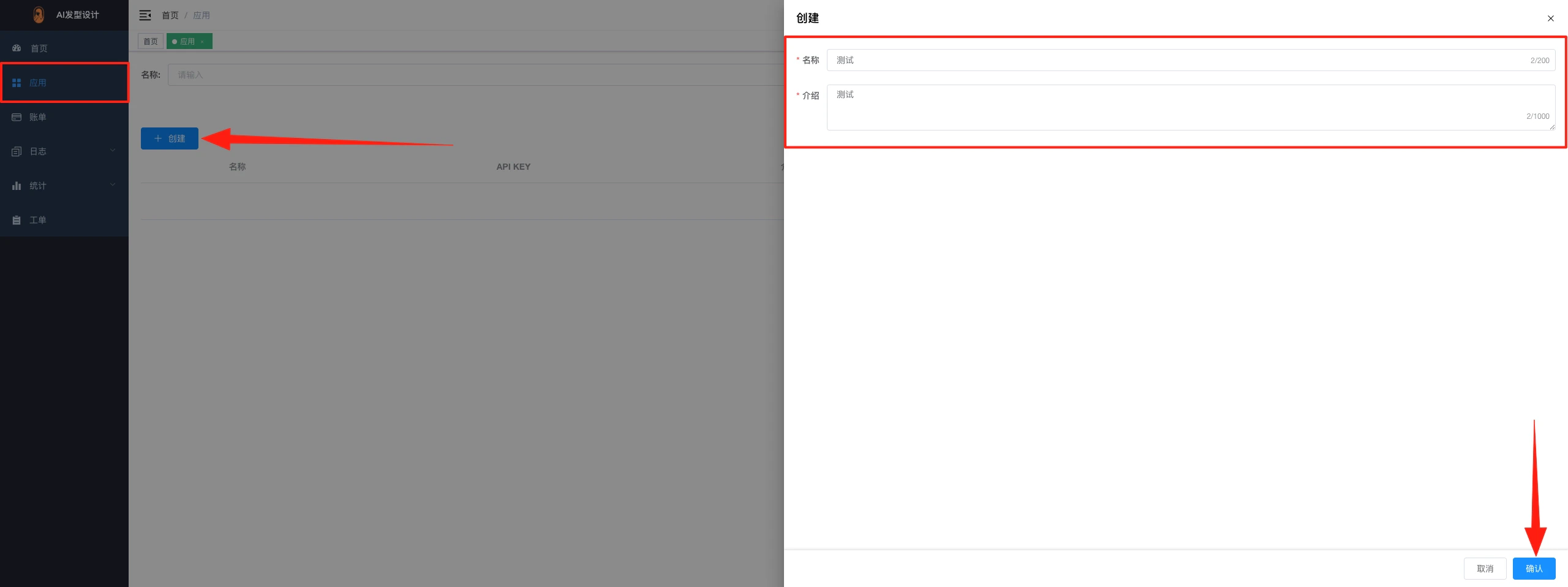
* **步骤3**: 创建应用

  <img src="https://mintcdn.com/tincent/82-m-cRsmYFKyYXH/images/dev/2.webp?fit=max&auto=format&n=82-m-cRsmYFKyYXH&q=85&s=591440c3bab41400399f27098fb8cf52" alt="创建应用" width="2560" height="958" data-path="images/dev/2.webp" />

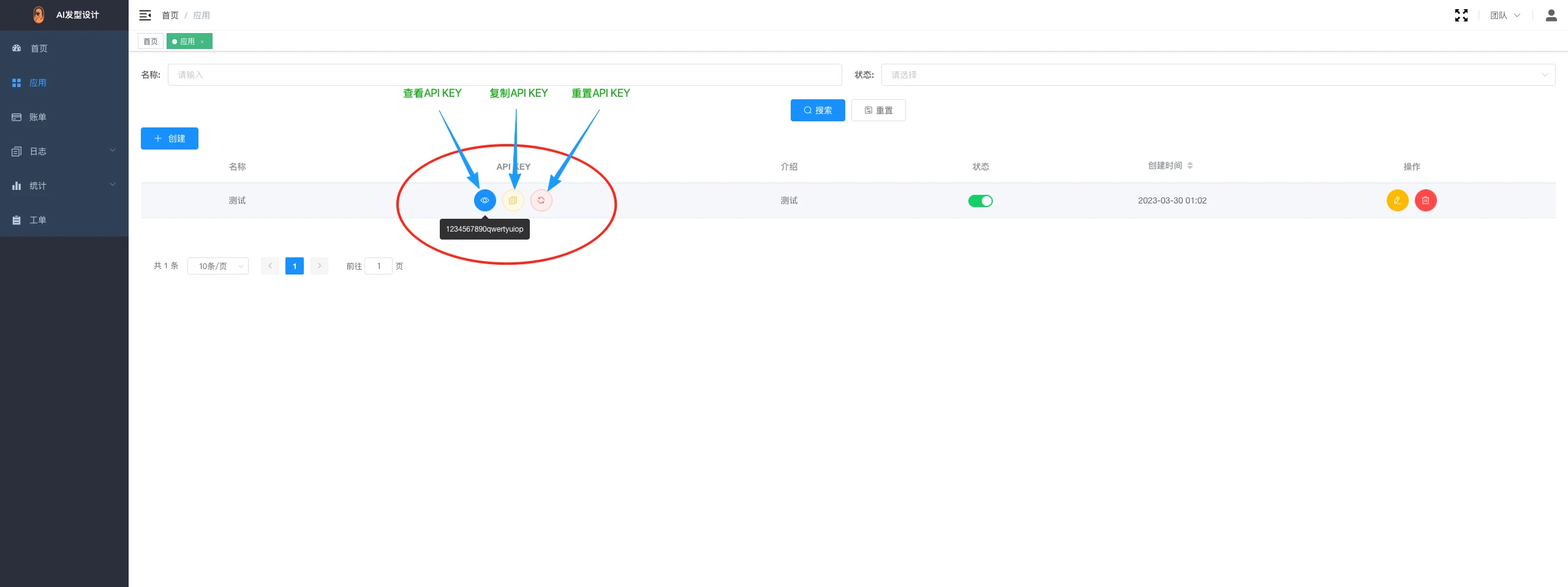
* **步骤4**: 获取API密钥

  <img src="https://mintcdn.com/tincent/82-m-cRsmYFKyYXH/images/dev/3.webp?fit=max&auto=format&n=82-m-cRsmYFKyYXH&q=85&s=c7c5f7f102b1c5a32762d3bd7022f83d" alt="获取API密钥" width="2560" height="958" data-path="images/dev/3.webp" />